Chipico
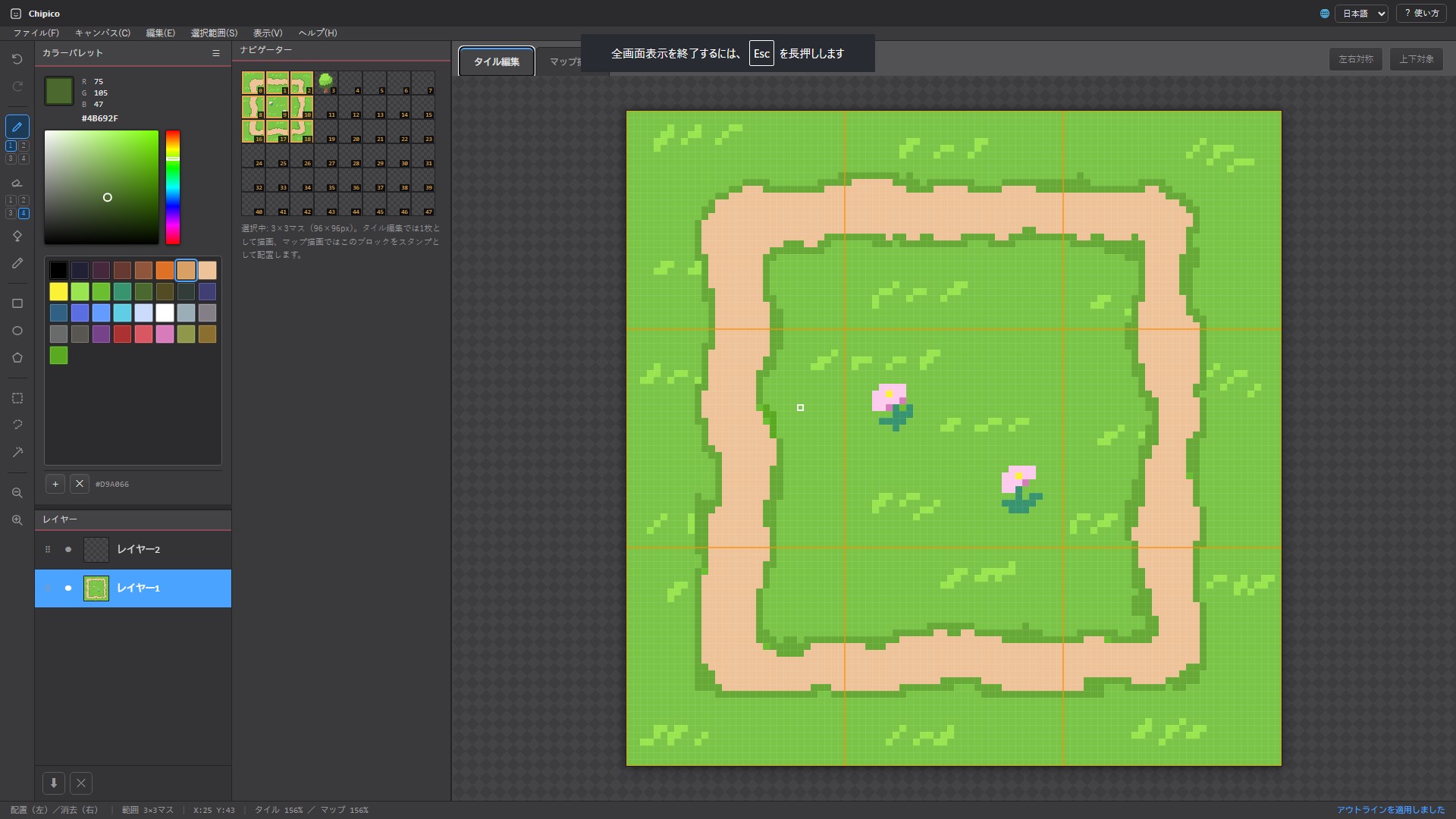
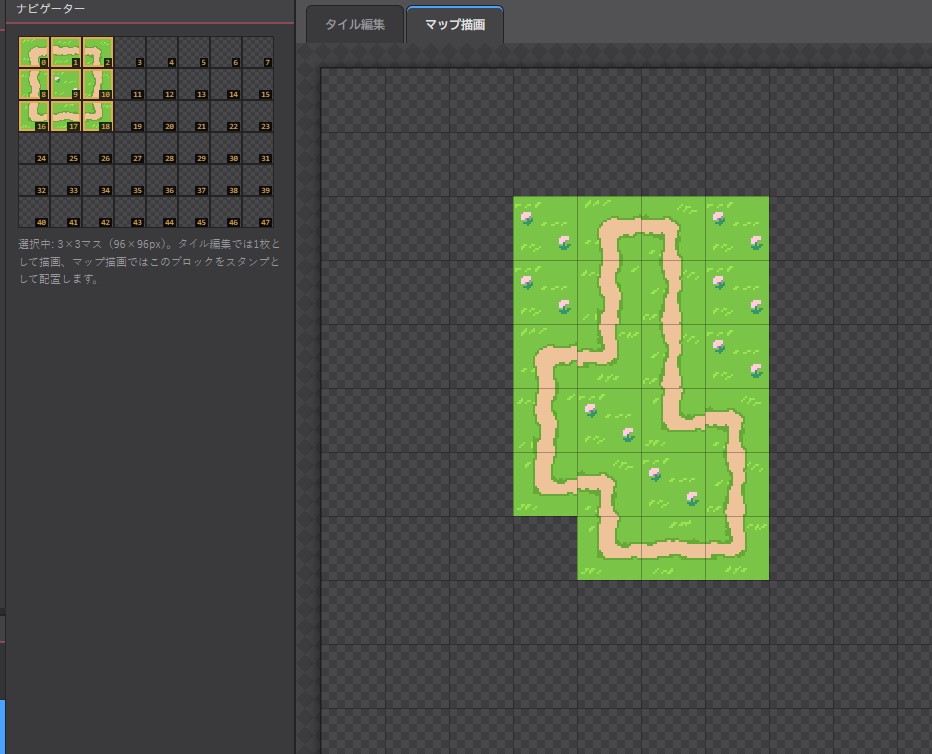
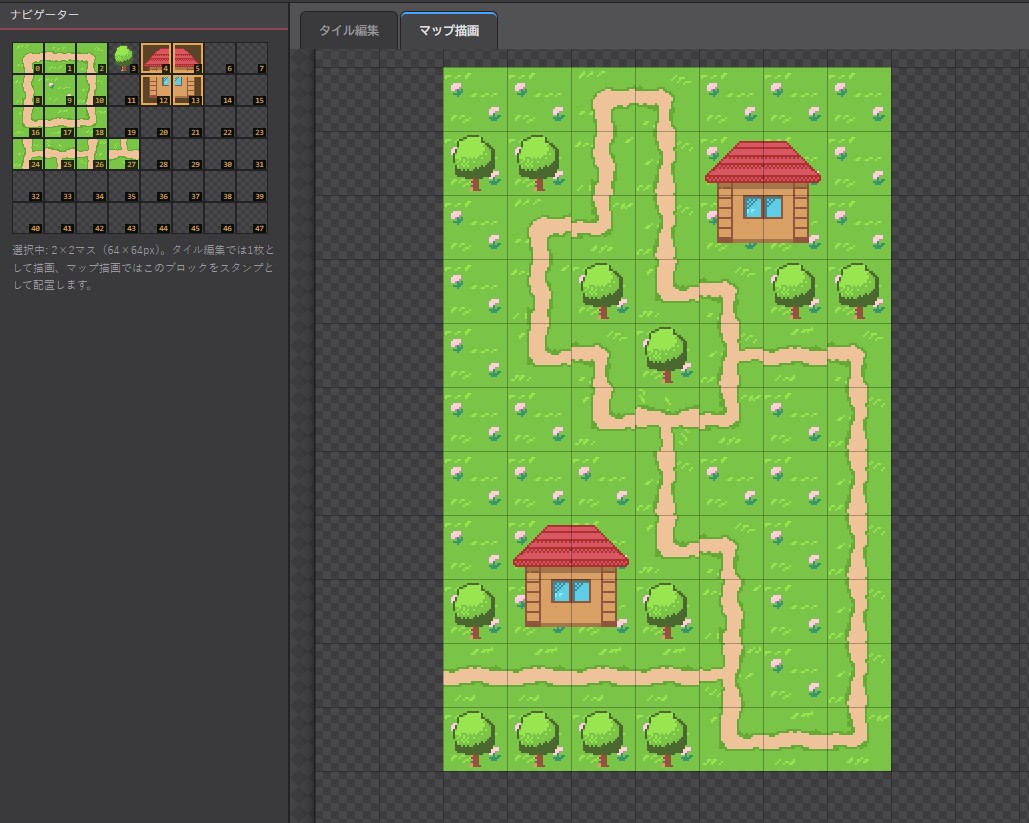
Chipico is a browser-based tileset & tilemap editor for pixel art, made mainly for my own projects. It's still a work in progress (beta), so things may change and there are likely rough edges — but it's already usable for drawing tiles, laying them out on a map, and exporting them for use in a game engine.
Currently in beta — feedback and bug reports are welcome.
What it does
- Tile + map in one place — draw individual tiles, then place them on a map canvas without switching tools
- Export for game engines — PNG tilesets/maps at common sizes, plus Tiled-compatible JSON, intended to be importable into things like RPG Maker, Unity, or Godot
- Runs in the browser — no install needed
- Japanese / English UI
Drawing tools
Pen & eraser (adjustable brush size), bucket fill, eyedropper, and shape tools — rectangle, ellipse, polygon, and freehand lasso — each with solid-fill or outline-only modes.
Selection tools
Rectangle, lasso, and magic-wand selection (with add/subtract modifiers), plus select-all, invert, and copy.
Editing
- Undo / redo
- Horizontal & vertical mirror drawing
- Rotate (90°/180°) and flip
- Outline generator — auto-trace the silhouette of your art with configurable placement (inside/outside), direction (4/8-way or axis-only), and tile-boundary linking
Layers
Independent layer stacks for both tile editing and map drawing — add, delete, reorder, merge, adjust opacity, alpha-lock, and clipping.
Palette
HSV color picker with RGB/HEX readout, built-in presets (Sweetie 16, PICO-8, Dawnbringer, Endesga, AAP-64, grayscale, rainbow), or auto-extract a palette straight from an image.
Navigator & stamps
Browse and select tiles from a navigator panel; select a block of multiple cells and place them together as a single stamp.
Save & export
- Save/load your work as a native project file (
.chip) - Export tileset or map as PNG (×1/2/4/8)
- Export map data as Tiled-compatible JSON
Handy shortcuts
B Pen · E Eraser · G Bucket · I Eyedropper · R Rect select · L Lasso select · W Wand select · Shift+O Outline · Ctrl+Z / Ctrl+Y Undo/Redo · Shift+drag constrain to a straight line · Esc / Ctrl+D Deselect
It's a small, still-growing project — thanks for trying it out. If you run into bugs or have suggestions, I'd appreciate hearing about them.
Development log
- Chipico_v1.4.7-beta Update21 hours ago
- Chipico_v1.4.6-beta Update1 day ago
- Chipico_v1.4.2-beta Update2 days ago
- Update — August 92 days ago
- Chipico is now available!4 days ago
Leave a comment
Log in with itch.io to leave a comment.